
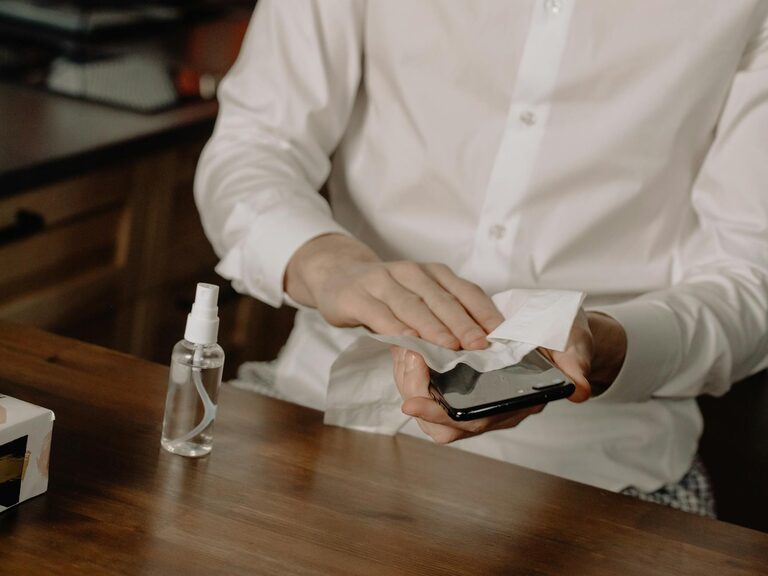
Keeping your phone and keyboard clean is essential for hygiene and device longevity. These frequently touched gadgets can harbor dirt, oils, and germs, impacting both your health and your device’s performance. Fortunately, cleaning them safely doesn’t require special tools or harsh chemicals. In this guide, we’ll walk you through easy, effective steps to clean your phone and keyboard without causing damage.
Why Clean Your Phone and Keyboard?
Our phones and keyboards come into constant contact with our fingers, faces, desks, and other surfaces. Over time, dust, sweat, food particles, and bacteria accumulate on these devices. Regular cleaning:
– Prevents the buildup of germs that can lead to illness
– Removes grime that can affect responsiveness and appearance
– Extends the life of your electronics by preventing damage caused by dirt and debris
With careful cleaning, you can keep your devices looking fresh and working smoothly.
What You’ll Need
Before starting, gather these supplies:
– Microfiber cloths (lint-free and soft)
– Cotton swabs or soft-bristled brushes
– Isopropyl alcohol (70% or less concentration)
– Distilled water (optional)
– Small bowl (for diluted solutions)
– Compressed air can (optional)
– Toothpick or wooden stick (optional)
Avoid using harsh chemicals like bleach, ammonia, or household cleaners, as these can damage screens and plastic parts.
—
How to Clean Your Phone Safely
Step 1: Power Off and Unplug
Turn off your phone and disconnect it from any chargers or accessories. This protects your device and ensures safe cleaning.
Step 2: Remove Case and Accessories
Take off your phone case, screen protectors, and any attachments. Clean these separately with soap and water if applicable.
Step 3: Wipe with a Dry Microfiber Cloth
Gently wipe the entire phone surface with a dry microfiber cloth to remove loose dust and fingerprints.
Step 4: Prepare Cleaning Solution
Mix equal parts of isopropyl alcohol and distilled water in a small bowl. This solution is effective at disinfecting without damaging the phone’s finish.
Step 5: Dampen Cloth and Clean
Lightly moisten a corner of the microfiber cloth with the solution—do not soak it. Wipe the phone gently, avoiding openings such as charging ports and speaker grills.
Step 6: Use Cotton Swabs for Small Areas
Dip a cotton swab lightly in the solution and clean around buttons, edges, and crevices carefully.
Step 7: Dry Your Phone
Use a dry section of the microfiber cloth to remove any remaining moisture. Allow the phone to air dry completely before turning it back on or reconnecting accessories.
Additional Tips:
– Avoid spraying liquids directly onto the phone.
– Never submerge your phone in liquid unless it is specifically waterproof and rated for immersion.
– Clean your phone regularly, ideally once a week.
—
How to Clean Your Keyboard Safely
Step 1: Turn Off and Unplug
Shut down your computer or disconnect your keyboard from the device to prevent accidental input and protect internal components.
Step 2: Shake Out Loose Debris
Turn the keyboard upside down and gently shake it to dislodge dust, crumbs, and debris trapped under keys.
Step 3: Use Compressed Air
Use a can of compressed air to blow out particles from between the keys. Hold the can upright and spray in short bursts, avoiding moisture buildup.
Step 4: Clean the Surface
Dampen a microfiber cloth with a small amount of isopropyl alcohol or mild soapy water. Wipe the tops and sides of the keys and keyboard surface. Be careful not to use too much liquid.
Step 5: Detail Cleaning with Cotton Swabs
Dip a cotton swab in the cleaning solution and gently clean around the edges of each key and in tight spaces.
Step 6: Remove Keycaps (Optional)
For a thorough clean, you can remove keycaps if your keyboard supports it. Use a keycap puller or gently pry them off with your fingers. Wash keycaps in warm soapy water, dry completely, and reattach.
Step 7: Dry and Reassemble
Make sure everything is completely dry before plugging the keyboard back in. Use a dry cloth for final wiping.
Additional Tips:
– Avoid eating near your keyboard to reduce buildup.
– Clean regularly, especially if you share your keyboard or use it frequently.
– For laptop keyboards, avoid removing keys and use compressed air carefully.
—
Keeping Your Devices Clean Regularly
Maintaining clean phones and keyboards doesn’t have to be time-consuming. Here are some habits to keep in mind:
– Wash your hands before using devices.
– Avoid using devices in dirty or greasy environments.
– Wipe down devices weekly with a soft cloth and disinfectant.
– Use protective covers that can be easily removed and cleaned.
– Store devices in clean, dust-free places when not in use.
—
Summary
Cleaning your phone and keyboard safely involves gentle wiping with appropriate materials and avoiding excessive moisture. Using microfiber cloths, diluted isopropyl alcohol solutions, and compressed air can keep your devices clean and hygienic without risk of damage. Regular cleaning not only improves appearance and function but also helps maintain good health.
By following these simple steps and tips, you can enjoy cleaner, more reliable devices every day. Happy cleaning!
